ok we’re going to make a new wordpress website
… now i need to learn wordpress frfr
use wordpress.org for just the open source wordpress
instead of using wordpress.com for their limited hosting
(we already have hostgator for now 🙄)
oh the SSL certificate is valid now again so maybe its ok
go to hostgator file manager
( hostgator.com —> sasepurdue site —> quick links includes a file manager button )
go to hostgator wordpress database???
( hostgator.com —> sasepurdue site —> quick links includes a phpmyadmin button )
go to hostgator cPanel
( hostgator.com —> hosting tab —> quick links includes a cPanel button )
1. go to hostgator cPanel
( hostgator.com —> hosting tab —> quick links includes a cPanel button )
https://www.hostgator.com/my-account/hosting/details
2. install wordpress
in the cPanel,
scroll to Software
Click Softaculous Apps Installer
Click WordPress
Click Install Now
3. wordpress installation screen
Software Setup
-
Protocol:
https:// -
Domain:
sasepurdue.com -
In Directory:
⚠️ Leave this EMPTY
(If you put
wp, your site becomessasepurdue.com/wp)
Site Settings
- Site Name:
SASE Purdue - Site Description:
Society of Asian Scientists and Engineers – Purdue
wordpress admin account details:
username:
password:
email:
advanced details
leave everything alone,
WordPress Core: ✔️ Upgrade to Minor versions only
click install
(forward email confirmation to purdue@saseconnect)
🎉 congrats ! wordpress is installed successfully
Step 4: Log into WordPress
Go to:
https://sasepurdue.com/wp-adminLog in with the credentials you just created
but the sites not loading…?
uhhh
tried the sudo dscacheutil -flushcache; sudo killall -HUP mDNSResponder but the wp-admin link still doesnt work
troubleshooting
- Check if the domain points to HostGator
check sasepurdue.com in https://www.whatsmydns.net/
and hostgator’s server IP successfully pops up
- Check if WordPress actually installed
hostgator —> cPanel —> file manager
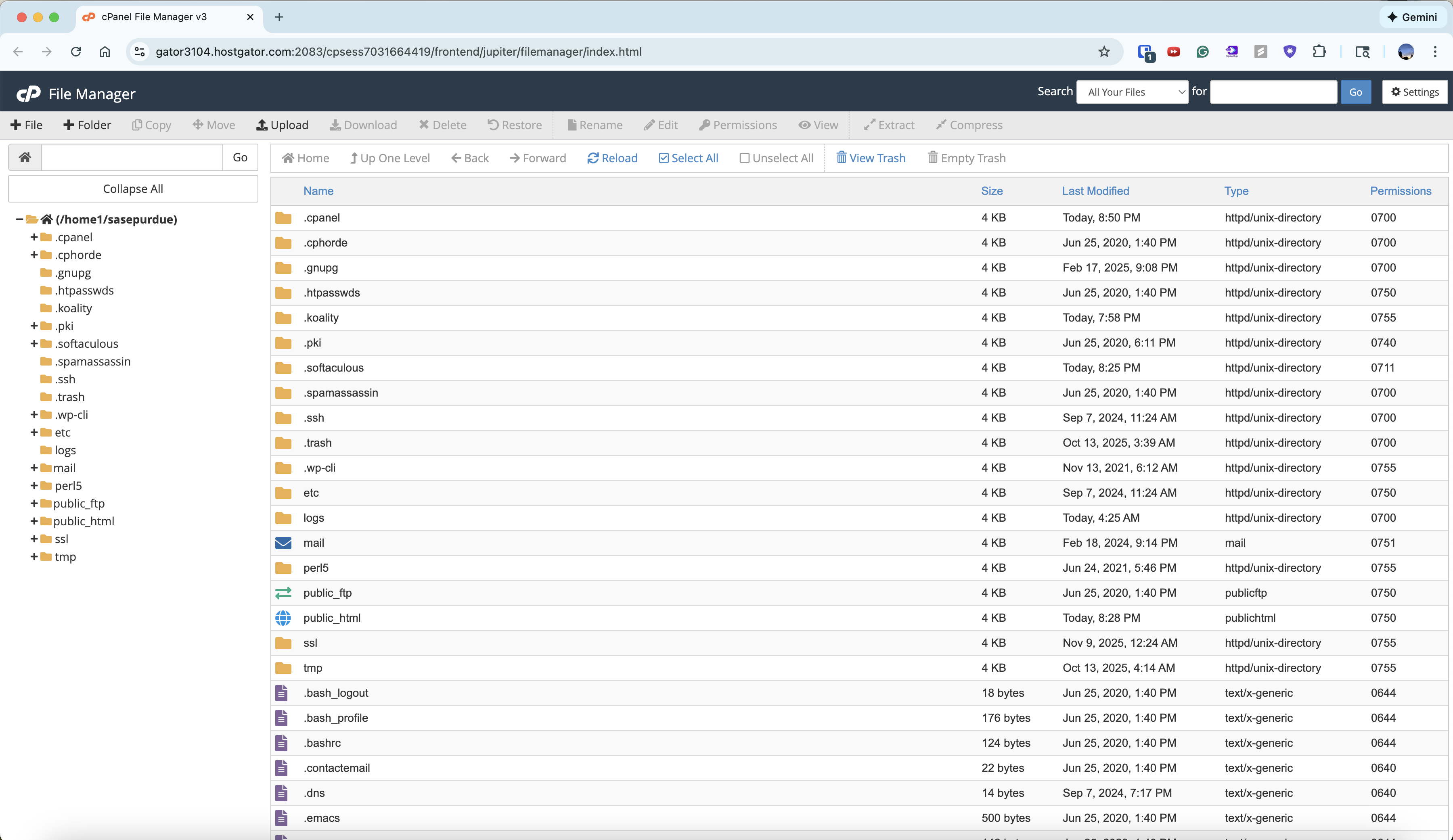
there is a public-html folder!