12/13/2025
just more following along with the video
https://youtu.be/2if5xSaZJlg?si=19HAv45C380kY4ZT&t=2007
main.py up to this point
import os

from flask import Flask, request, redirect, session, url_for

from spotipy import Spotify
from spotipy.oauth2 import SpotifyOAuth
from spotipy.cache_handler import FlaskSessionCacheHandler

app = Flask(__name__)
app.config['SECRET_KEY'] = os.urandom(24)    # temp random key

# in .env file
# client_id
# client_secret
# redirect_uri

scope = 'playlist-read-private'

# multiple scopes
# scope = 'playlist-read-private,streaming'

cache_handler = FlaskSessionCacheHandler(session)
sp_oauth = SpotifyOAuth(
    client_id=os.getenv('CLIENT_ID'),
    client_secret=os.getenv('CLIENT_SECRET'),
    redirect_uri=os.getenv('REDIRECT_URI'),
    scope=scope,
    cache_handler=cache_handler,
    show_dialog=True,   # show the login dialog
)

sp = Spotify(auth_manager=sp_oauth)

# root
@app.route('/')
def home():
    # check if user is logged in already
    # !! sp_oauth.validate_token()
    if not sp_oauth.validate_token(cache_handler.get_cached_token()):
        auth_url = sp_oauth.get_authorize_url()
        return redirect(auth_url)
    # redirect to login
    return redirect(url_for('get_playlist'))

# callback endpoint
@app.route('/callback')
def callback():
    sp_oauth.get_access_token(request.args.get('code'))
    return redirect(url_for('get_playlist'))

if __name__ == '__main__':
    app.run(debug=True)
1/4/2025
still following video
main.py up until this point
import os

from flask import Flask, request, redirect, session, url_for

from spotipy import Spotify
from spotipy.oauth2 import SpotifyOAuth
from spotipy.cache_handler import FlaskSessionCacheHandler

app = Flask(__name__)
app.config['SECRET_KEY'] = os.urandom(24)    # temp random key

# in .env file
# client_id
# client_secret
# redirect_uri

scope = 'playlist-read-private'

# multiple scopes
# scope = 'playlist-read-private,streaming'

cache_handler = FlaskSessionCacheHandler(session)
sp_oauth = SpotifyOAuth(
    client_id=os.getenv('CLIENT_ID'),
    client_secret=os.getenv('CLIENT_SECRET'),
    redirect_uri=os.getenv('REDIRECT_URI'),
    scope=scope,
    cache_handler=cache_handler,
    show_dialog=True,   # show the login dialog
)

sp = Spotify(auth_manager=sp_oauth)

# root
@app.route('/')
def home():
    # check if user is logged in already
    if not sp_oauth.validate_token(cache_handler.get_cached_token()):
        auth_url = sp_oauth.get_authorize_url()
        return redirect(auth_url)
    # not logged in,redirect to login
    return redirect(url_for('get_playlist'))

# callback endpoint
@app.route('/callback')
def callback():
    sp_oauth.get_access_token(request.args.get('code'))
    return redirect(url_for('get_playlist'))

@app.route('/get_playlist')
def get_playlist():
    if not sp_oauth.validate_token(cache_handler.get_cached_token()):
        auth_url = sp_oauth.get_authorize_url()
        return redirect(auth_url)

    # sp --> spotify client :D
    playlists = sp.current_user_playlists()

    playlists_info = [(pl['name'], pl['external_urls']['spotify']) for pl in playlists['items']]
    playlists_html = '<br>'.join([f'{name}: {url}' for name, url in playlists_info])

    return playlists_html

@app.route('/logout')
def logout():
    session.clear()
    return redirect(url_for('home'))

if __name__ == '__main__':
    app.run(debug=True)
but then in the video he tries to run python3 [main.py](http://main.py) and it runs the dev server at localhost
however i need to set up my env variables the way i want so i need to add this to main.py
from dotenv import load_dotenv

load_dotenv()
and use the python venv
source venv/bin/activatenow within the venv
(venv) ➜  spotify git:(main) ✗
(venv) ➜  spotify git:(main) ✗ python3 main.py
but i was still getting an error because i was dumb with the variable names
      29 -    client_id=os.getenv('CLIENT_ID'),
      30 -    client_secret=os.getenv('CLIENT_SECRET'),
      31 -    redirect_uri=os.getenv('REDIRECT_URI'),

      29 +    client_id=os.getenv('SPOTIFY_CLIENT_ID'),
      30 +    client_secret=os.getenv('SPOTIFY_CLIENT_SECRET'),
      31 +    redirect_uri=os.getenv('SPOTIFY_REDIRECT_URI'),
but omg ! now it works !!
(venv) ➜  spotify git:(main) ✗
(venv) ➜  spotify git:(main) ✗ python3 main.py
 * Serving Flask app 'main'
 * Debug mode: on
WARNING: This is a development server. Do not use it in a production deployment. Use a production WSGI server instead.
 * Running on http://127.0.0.1:5000
Press CTRL+C to quit
 * Restarting with stat
 * Debugger is active!
yippee!
clicking dev link http://127.0.0.1:5000
omggg
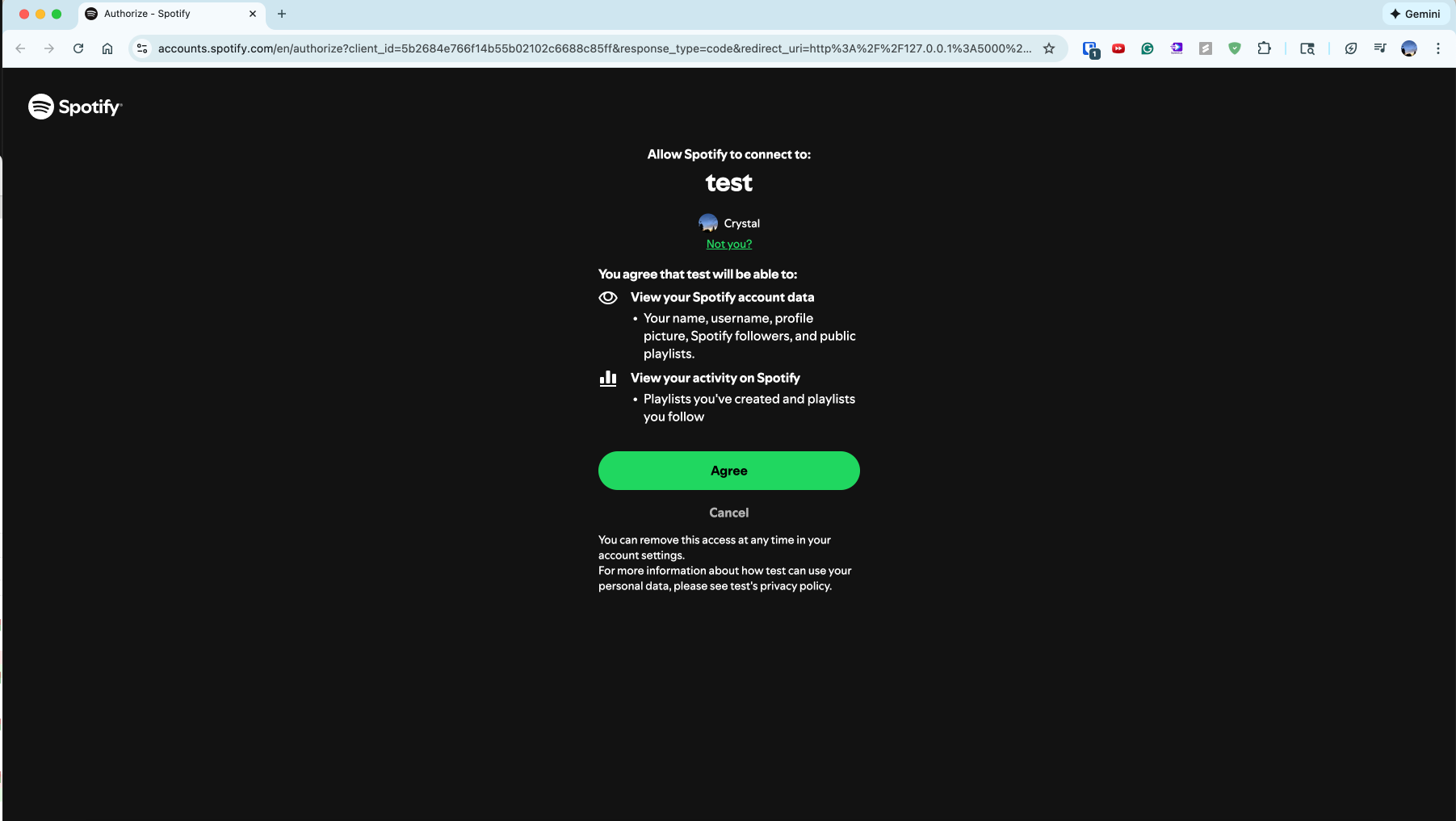
clicked agree
ooooo
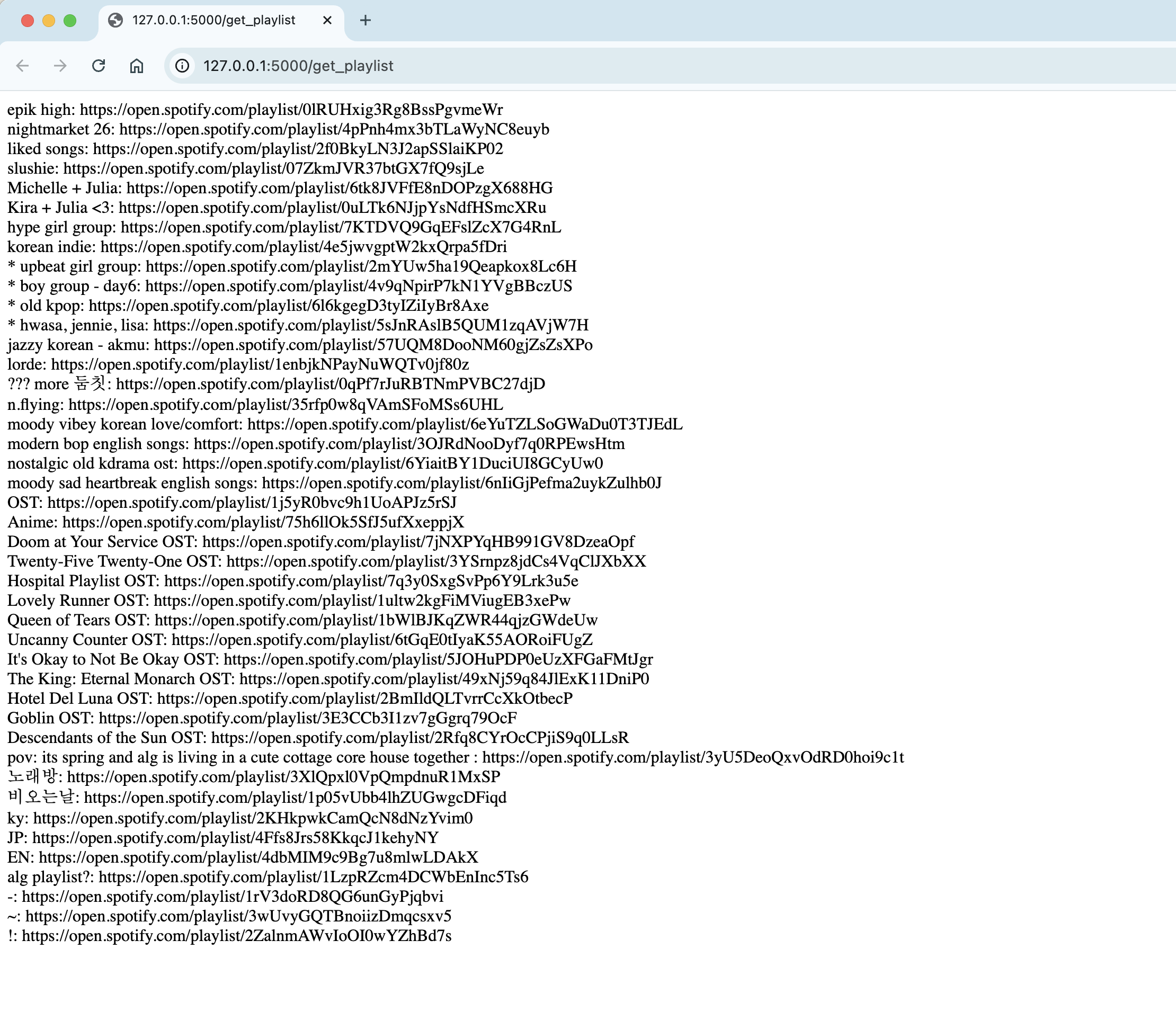
it works !
this youtube video has served me well 🙂↕️
i now have a basis for
- experimenting with other requests from the api
- making the display of the fetched data better
but thats for another day :D